↓Skip to main content
  1. Tags/

VS2012

Visual Studio 2012 crashes when opening an ASP.NET MVC project with a cshtml open

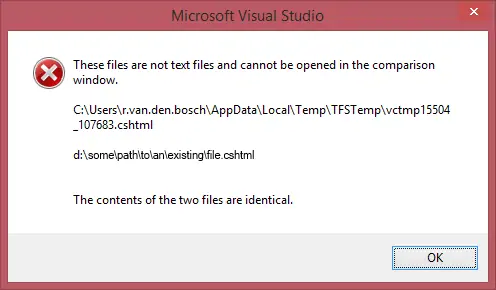
A rather long title for this post, but that’s exactly what happened: when I opened an ASP.NET MVC 4 project with a cshtml view open, Visual Studio would crash with the error messages seen on the right. This would only occur if the first project I opened had a cshtml file open. When I opened another (type of) project first and then opened a project with a cshtml file open, the problem did not occur. Debugging Visual Studio with a new instance of Visual Studio (Inception anyone?) made things a bit clearer. (Part of) the exception information:

Debugging JavaScript with Visual Studio in an ASP.NET MVC 4 application

When debugging JavaScript in an ASP.NET MVC (4) application, it is not always enough to uncheck the ‘Disable script debugging’ checkboxes under ‘Tools’ – ‘Internet Options’ – ‘Advanced’ – ‘Browsing’. JavaScript inside a Razor view (a cshtml file) cannot be debugged from Visual Studio. To debug your JavaScript, move it to a separate .js file and link to that file from your Razor view. This way, breakpoints set in the JavaScript will be hit and you can debug from Visual Studio.

Enable preview in Visual Studio 2012 after Update 1

·1 min

After installing Visual Studio 2012 Update 1, my Visual Studio stopped opening files in preview mode when I clicked them in the Solution Explorer. This setting seems to have changed with the installation of Update 1. To re-enable opening files clicked (once) in the Solution Explorer in Preview mode, go to ‘Tools’ – ‘Options’ – ‘Environment’ – ‘Tabs and Windows’.