1. Tags/

Error

Visual Studio 2012 crashes when opening an ASP.NET MVC project with a cshtml open

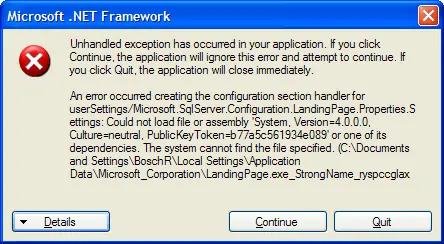
A rather long title for this post, but that’s exactly what happened: when I opened an ASP.NET MVC 4 project with a cshtml view open, Visual Studio would crash with the error messages seen on the right. This would only occur if the first project I opened had a cshtml file open. When I opened another (type of) project first and then opened a project with a cshtml file open, the problem did not occur. Debugging Visual Studio with a new instance of Visual Studio (Inception anyone?) made things a bit clearer. (Part of) the exception information:
Unable to access the IIS metabase

·1 min

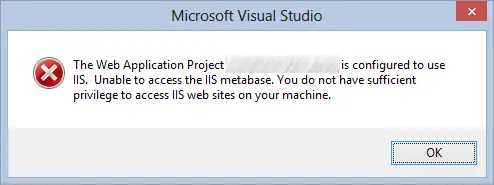
I opened a solution in Visual Studio 2012 on my laptop running Windows 8, when I was presented with the error “The Web Application Project SomeWebProject is configured to use IIS.  Unable to access the IIS metabase. You do not have sufficient privilege to access IIS web sites on your machine.” The user I was logged in with was a local administrator and was able to open up and use IIS Manager, but still I was presented with this error. The solution to this is simple: start your Visual Studio with ‘Run as Administrator’. You can do this by right clicking the shortcut and selecting ‘Run as Administrator’.

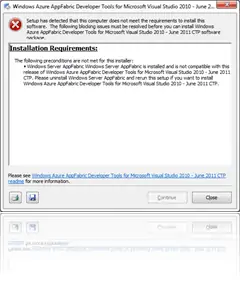
Error installing the Windows Azure AppFabric Tools for Visual Studio (CTP)

When installing the Windows Azure AppFabric Tools for Visual Studio (found here), you might get the error message shown at the top, stating that Windows Server AppFabric is installed and that it is not compatible with this release of Windows Azure AppFabric Developer Tools for Microsoft Visual Studio 2010 – June 2011 CTP. It asks to uninstall Windows Server AppFabric and rerun this setup if you want to install Windows Azure AppFabric Developer Tools for Microsoft Visual Studio 2010 – June 2011 CTP.

Using Crystal Reports in ASP.NET on a 64 bit machine

·2 mins

The above scenario gave me the well-known could not load file or assembly error message. The assembly that couldn’t be found was log4net, Version=1.2.10.0, Culture=neutral, PublicKeyToken=692fbea5521e1304. Or one of its dependencies of course… The situation in which I was getting this error message:

Little-heard-of ASP.NET feature: app_offline.htm

·3 mins

Although the feature has been around since ASP.NET 2.0, I still meet people that don’t know and/or use app_offline.htm. Do you know (and use) the feature…?

When working on an ASP.NET web application, you should notify your visitors in a decent way that your application is down. There’s a nice default feature available for these purposes since ASP.NET 2.0. Somehow, however, this feature is not very well known and rarely used. The App_Offline.htm feature in ASP.NET 2.0 provides an easy way to bring down an ASP.NET application while you make changes to it. This feature kicks in as soon as you place a file called app_offline.htm in the root of the application. When ASP.NET detects the file, it will shut-down the app-domain for the application and won’t restart it for requests. The app_offline.htm file will be sent as the response to all new dynamic requests for the application. When you’re done updating the site, just delete or rename the file and your site it will come back online.

“AjaxControlToolkit is undefined”

Because we were still using an old Visual Studio 2005 solution which included a Web Site project, it was time to upgrade. We upgraded our Visual Studio 2005 solution to Visual Studio 2010 (and .NET 4.0), converted the Web Site Project to a Web Application Project and then, of course, the AjaxControlToolkit had to follow. I downloaded the latest build from their Codeplex site and updated the references in the different projects. I ran the website, and that’s where things got ugly …