Hosting your Hugo website on Azure - Part I
Table of Contents
This post is part of a series on hosting your Hugo website on Azure. Keep an eye on this website for future articles.
Intro #
As you might have seen or read somewhere, I’ve migrated the previous version of my personal website, which was in WordPress, to the current one that is made in Hugo. One of the reasons for migrating away from WordPress was the fact that due to a vulnerability in one of the WordPress modules, spammers were able to use my account to send out a lot of mails.

And also: static sites rule, baby 🤓
Setting a goal 🎯 #
The final goal I set for myself was quite a big one: I wanted my site to …
- have CI/CD in place
- run on Azure
- have the latest security measures in place (like providing an HTTP Strict-Transport-Security (HSTS) Header)
- have a letsencrypt certificate in place
for both the APEX (or naked) domain and thewww-domain (so I can redirect securely everywhere I needed to) - have a decent score in tools like PageSpeed Insights and webhint
- perform good in search engines
- be eligible for HSTS preloading
There are quite a few steps I had to take before it all started working as I wanted it, both locally and online. This first blog post is about getting the basics in place.
The world’s fastest framework for building websites. #
Hugo is one of the most popular open-source static site generators. With its amazing speed and flexibility, Hugo makes building websites fun again.
Setting up the dev machine 💻 #
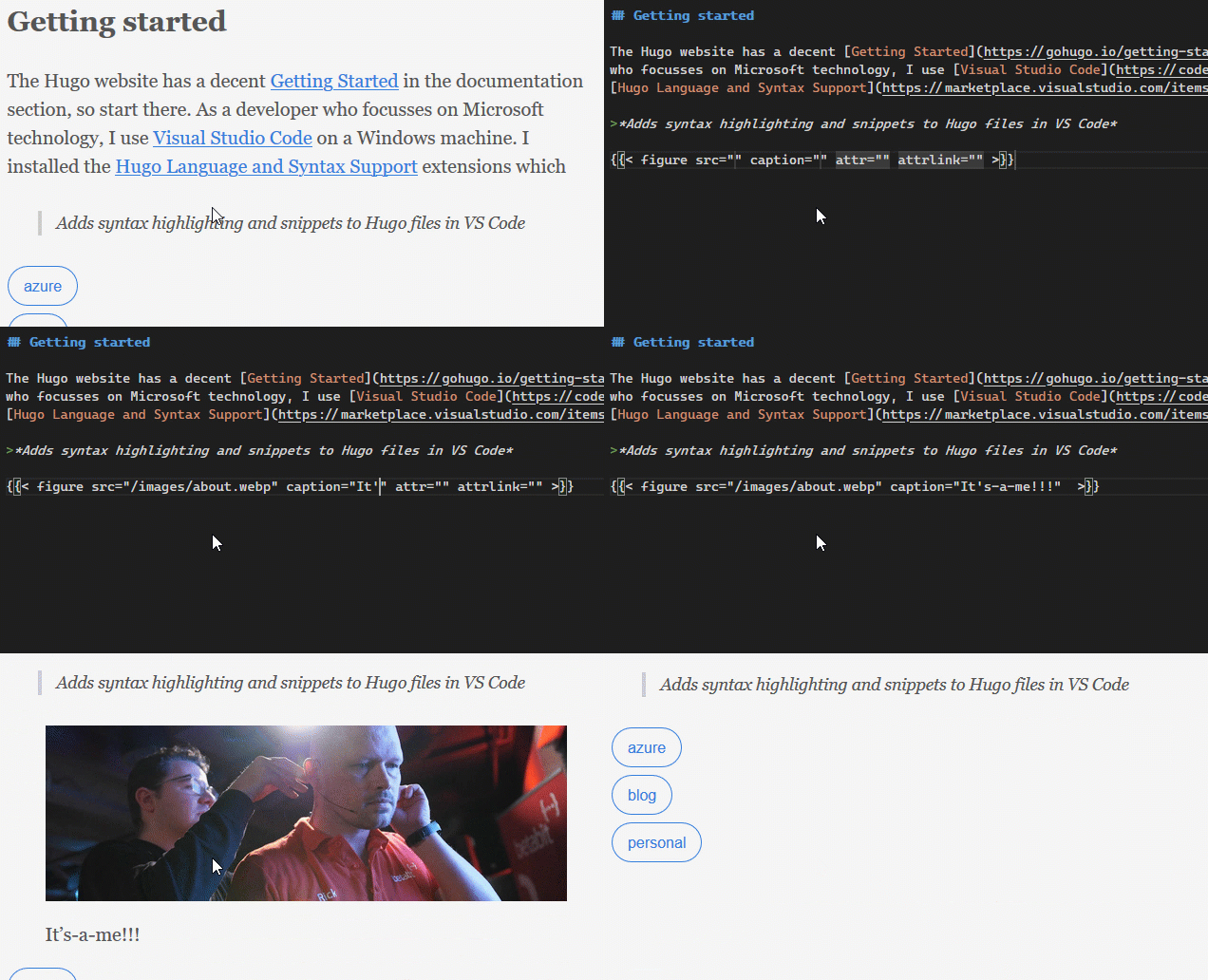
The Hugo website has a decent Getting Started in the documentation section; I advise you to start there. As a developer who focusses on Microsoft technology, I use Visual Studio Code on a Windows machine. After following the Quick Start in the Getting Started in which I installed Hugo using chocolatey (Hugo is not available in winget yet), I installed the Hugo Language and Syntax Support VS Code extensions which, among other things, provides all sorts of Hugo snippets.
Adds syntax highlighting and snippets to Hugo files in VS Code
Here you see how it helps setting up a figure element:
Prepare to host in Azure ☁ #
I’ve chosen to host this website in Static website hosting in Azure Storage. You get static website hosting for free with a Storage Account V2. Enabling it provisions a $web container that gets a region-specific web endpoint that you can use to access the website. You set the name of the index document and, optionally, of the 404 page and you’re good to go. Static website hosting is similar to, but also very different from, Azure Static Web Apps. But more on that in a later post 😉
Static website hosting provides exactly that: static website hosting. It also doesn’t do (a lot) more than that. You can connect it to a custom domain,
but that does not support HTTPS. There are more limitations:
- The files in the container are case-sensitive
- Files are served through anonymous access requests
- Only read operations are available
- CORS is not supported
- It does not natively support
HTTPSon custom domains - Headers are not available
Having a look at this list, one could say it might not be the best solution to run a blog on… And yet: here we are 😁. At the end of this series, you’ll know exactly what you need to do to run a website on static website hosting.
Source code control 👨🏻💻 #
The source code for my website is currently in a private GitHub repo. I’m thinking about making it public, but having the same content as I have on my website
be on GitHub might not be a great choice SEO-wise.
The reason I chose for GitHub is relatively simple: I wanted to play around with GitHub Actions a bit in a production
scenario, so there’s that…
Conclusion #
In this post we talked about the basic things we need to do to get up and running creating a website in Hugo.
Do you miss something in setting up a dev machine for Hugo? Are there any additional VS Code extensions that are vital for creating content? Let me know in the comments 👇🏻 or contact me.
Next time #
In the next post, we’ll look into migrating posts from WordPress and making the contact form from the default theme work, among other things.